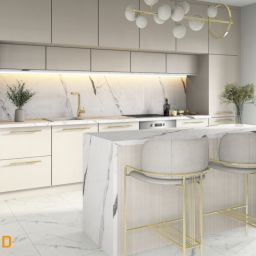
PaletteCAD Bathrooms & Tiling – the precise path from visualization to installation
One system from idea to installation. Bathrooms & Tiling combines 3D bathroom design, rule-based tile layout, patterns and joints, wall/floor elevations and cut plans, visualizations and presentations (Exposé), while letting you work with broad manufacturer catalogs and 2D/3D import–export formats. This helps avoid data duplication and keeps a consistent flow from the first sketch to the final drawings.
What you get right away:
From configuration and visualizations to elevations and drawings — in one environment.
Automatic deliverables: layouts, cut plans, sharing packs (Exposé), parts lists.
Original manufacturer catalogs and flexible 2D/3D import–export for collaboration.
Less waste
Integrated cut/waste optimization with reports and labels.
Faster proposals
Exposé packages, multiple display modes and photorealism.
Continuity
Layouts, drawings, exports and sharing via Cloud.

Parametric configurator: a layout that respects rules
The configurator controls the grid start point, joint widths, patterns, slopes, drain centering and mounting heights. When room geometry or materials change, layouts and cut plans are recalculated automatically, so no manual fixes are needed and the final drawings contain only the correct positions.
Example. Reducing the room width from 2100 mm to 1850 mm automatically:
• repositions the grid and compensation strips;
• recalculates cut locations;
• verifies the channel slope and centering;
• adjusts the mixer and shower connection heights.
Surfaces and zones: from visuals to technical detail

Walls and floors are described by zones with slope angles, edge terminations and plane breaks. Changing the surface or substrate type correspondingly adjusts layers and fixing points so the visual concept aligns with the installation logic.
Technological modules
Work with concrete tile formats and finishes, set joint widths, directions and start points so patterns don’t drift across walls and floors. Switching the format (e.g., 600×600 → 300×600) recalculates elevations and quantities, while cut plans make where-to-cut and allowances clear for ordering and site work. Built-in manufacturer catalogs keep data accurate from the start.
Use common patterns such as 50/50, 30/70, herringbone and diamond, control grid direction and offsets around niches and transitions. When the room geometry or start point changes, the elevations regenerate accordingly, so drawings and quantities stay consistent without manual rework.
Define the edge terminations that make bathrooms durable and neat: aluminium/stainless profiles, internal/external corners and threshold solutions, including clean junctions to glass. These choices are reflected in the elevations and cut plans, with allowances aligned to your chosen pattern and jointing.
Place concealed frames, WCs, shower channels, mixers and furniture using real mounting criteria (heights, axes, clearances, connection type). Because you’re working against original manufacturer catalogs, mounting points and dimensions flow into the drawings, keeping visuals and implementation in sync.
Plan glass systems with their fittings and handles, and document junctions to sloped or level floors. Clearances to adjacent surfaces and sliding/door paths are captured in the elevations and details, so aesthetics and installation logic align before you hand off to site.
“Palette Home” — application in Bathrooms & Tiling
Laser measurement in bathrooms
Dimensions and angles are transferred into a 3D sketch on the phone. Even complex spaces (slopes, non-standard angles) are measured quickly, and errors are spotted on site.
Quick sketch with fixtures and tiles
On site, draw the space, mark openings and fixtures, apply tile format/color — you get a visual base for the first consultation, and real decisions happen on the spot.
Seamless import into Palette CAD
Import the “Home” plan into Palette CAD and generate layouts, height drawings, Exposé and quantities. One continuous flow: from measurement to ready-to-share documents.
Automatic deliverables: layouts, cut plans, presentations and lists
From the same model you get the full set for execution: wall/floor layouts, cut plans/drawings, Exposé (presentation bundle) and parts lists:
Layouts (walls and floors)
Layouts automatically apply patterns, joint widths and directions, and carry heights and axes into the drawings. Changing format or start point recalculates the layouts; PDF/DWG/DXF exports are ready for sharing.
Cut plans / drawings
According to the selected formats, drawings clearly show cut locations and compensation strips, with notes for installers (cutting directions, allowances). The logic of overlaps and transitions stays consistent because it comes from the same project. (2D exports — PDF/DWG/DXF.)
Exposé (presentations)
An Exposé generates a single document set with visualizations, wall/floor views, layouts, legends and key dimensions — convenient for pricing and client approval.
Parts lists (Parts lists / Stücklisten)
Automatic parts lists show quantities by zones and surfaces (tiles, profiles, grout, etc.). Lists can be used for supplier orders or exported to CSV/XLSX (via 2D/3D export/reporting).
Sharing and review
You can share the package securely via Palette Cloud so everyone — from project manager to installer — works with the latest version.


Export to 2D/3D formats
Collaboration with designers and BIM environments benefits from a wide range of 2D/3D import–export.
- 3D export: DXF, DWG, IFC, 3DS, OBJ, STP, IGS, STL, 3MF, SKP, DAE, FBX, GLB, WRL, TGF, POS.
- 2D export: PDF, SVG, DWG, DXF.
Integrations with ERP/MES and e-commerce
BOM, consumption, material codes, operation durations and order numbers are transferred to ERP/MES in structured formats — and you receive back production, scrap and actual time data. If you have an e-shop or a catalog, orders can appear in the project already with the correct configurations, prices and production parameters — sales connects directly to execution.
Fully automated workflow
- Configure the room (format, pattern, fixtures)
- Receive layouts, cut plans, presentations and lists
- Export DWG/DXF/PDF/IFC or 3D formats
- Share via Cloud and execute the project
Practical value
See quantities and planned effort before hand-off, so margin is calculated early and stays under control. Once approved, Exposé + parts lists act as a single source of truth, and team access via Cloud keeps everyone aligned without duplicate files or outdated plans.
Change tile format, pattern or start point and the elevations/cut plans update automatically. Plan, elevation and 3D stay in sync, so clashes and inconsistencies are caught before exporting drawings and schedules.
Combine photoreal visuals with dimensioned elevations and legends in one Exposé. Clients see both the aesthetic and the build-ready detail in a single sitting, which speeds decisions and reduces rework.
Wall/floor layouts include heights, axes, cut notes and compensation strips, so there’s less room for interpretation on site. Clear instructions mean fewer calls back to the office and a smoother first-day setup.
Ready to connect design and execution?
Contact DISSO — we’ll help implement and tailor PaletteCAD Bathrooms & Tiling for your team, with inventory and supplier integrations and standardized templates.